As businesses create more images, videos, presentations, documents, product files, and marketing materials, keeping digital content organized can quickly become difficult. Files may be spread across cloud folders, personal computers, email threads, shared drives, and different team platforms.
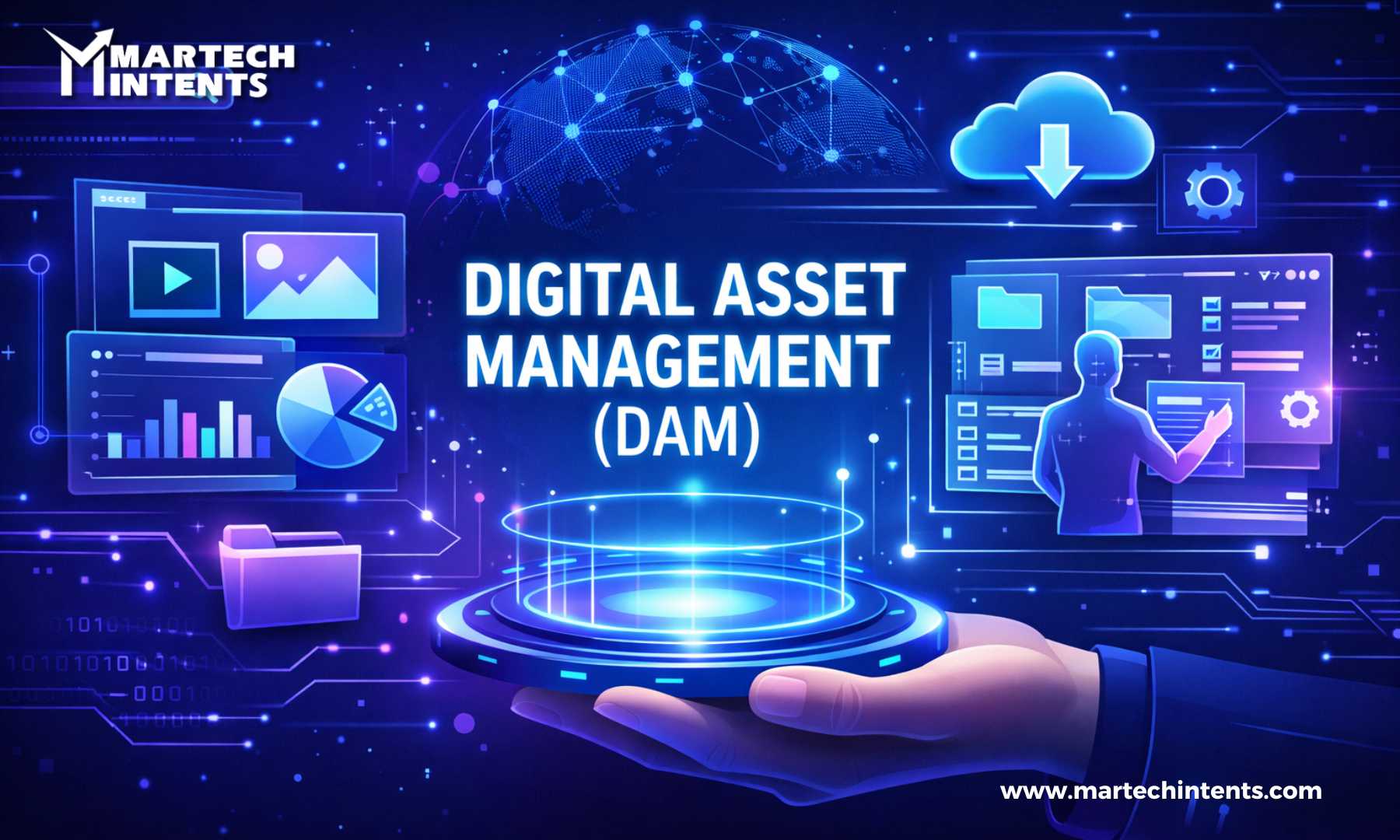
This is where a Digital Asset Management (DAM) system can make a significant difference.
A DAM system provides a centralized environment for storing, organizing, finding, managing, and sharing digital assets. Modern platforms can also support metadata, permissions, version control, approval workflows, integrations, and asset lifecycle management.
However, choosing a DAM is not simply about selecting the platform with the longest feature list. A system that works well for a large global enterprise may be unnecessarily complex for a smaller marketing team.
The better approach is to find a DAM that fits your content, workflows, users, technology environment, and future plans.
What Is a Digital Asset Management System?
A Digital Asset Management system is software designed to help organizations centrally manage digital files such as images, videos, audio, documents, presentations, creative files, and brand assets.
Instead of asking a colleague, “Where is the latest version of that image?”, users can search the DAM and locate the appropriate asset through metadata, keywords, categories, filters, or other search options.
A DAM can also help organizations control who can access an asset, manage different versions, track usage rights, and establish approval processes.
In simple terms, a DAM turns a collection of scattered files into a more organized and searchable digital content library.
Why Choosing the Right DAM Matters
Not every DAM platform is designed for the same organization.
A creative agency may need fast asset sharing and collaboration. A global brand may require advanced permissions, regional workflows, rights management, and integrations with multiple marketing systems. A growing business may prioritize ease of use and scalability.
Choosing the wrong system can create another layer of complexity instead of solving the original problem.
The right DAM should help your team:
- Find assets faster
- Reduce duplicate files
- Maintain version control
- Protect brand assets
- Simplify collaboration
- Manage access permissions
- Improve content workflows
- Connect with existing business tools
- Scale as the asset library grows
1. Start by Identifying Your Actual Problems
Before comparing DAM vendors, understand why your organization needs one.
Do teams struggle to find files? Are outdated assets being used in campaigns? Are large files constantly being shared through email? Are approvals taking too long? Is content spread across multiple platforms?
Write down the problems you want the DAM to solve.
For example:
Current problem: Marketing teams spend too much time searching for approved images.
Desired outcome: Users should be able to locate approved images through keywords, campaign names, product information, or asset categories.
This approach gives you practical requirements to evaluate rather than allowing impressive product demonstrations to drive the decision.
2. Consider the Types and Volume of Assets You Manage
Think beyond today’s file library.
List the types of content your organization currently manages and expects to create in the future.
These could include:
- Product photography
- Marketing images
- Videos
- Presentations
- PDFs
- Audio files
- Social media creatives
- Advertisements
- Brand guidelines
- Product documents
- Design files
- Campaign materials
Then consider how quickly the volume is growing.
A DAM should be able to handle your current library while providing enough flexibility for future growth. Scalability is an important consideration when organizations expect larger asset libraries, more users, or broader geographic operations.
3. Evaluate Search and Metadata Capabilities
A DAM is only useful if people can find what they need.
Metadata plays a major role in making assets searchable. Depending on the organization, metadata may include information such as product name, campaign, asset type, region, language, creator, copyright information, or usage rights.
Look for a platform that allows you to create metadata fields and maintain a logical taxonomy.
During a product demonstration, do not simply ask whether the platform has search.
Test it.
Give the vendor examples of real searches your team performs and see how quickly the system can return useful results.
Modern DAM platforms may also include AI-assisted tagging and search capabilities, but these should be evaluated using your own content and workflows rather than relying only on a demonstration.
4. Check Version Control
Multiple versions of the same file can create confusion.
Imagine a designer updates a product image, but someone from the sales team accidentally downloads an older version from a shared folder.
Version control helps reduce this type of problem by giving teams better visibility into asset revisions.
When evaluating a DAM, check whether users can:
- See previous versions
- Identify the latest approved version
- Restore earlier versions when necessary
- Track changes
- Control who can update assets
This becomes especially important when multiple departments work on the same content.
5. Look at Permissions and Security
Not every employee needs access to every asset.
Your DAM should allow administrators to control access according to users, teams, roles, locations, or other organizational requirements.
For example, a marketing team may need access to campaign creatives, while external partners may only need access to a selected collection of approved files.
Review how the system handles:
- User permissions
- Role-based access
- External sharing
- Download controls
- Asset restrictions
- Audit information
- Usage rights
Security and governance become particularly important when assets contain confidential information or are subject to licensing and compliance requirements.
6. Evaluate Workflow and Approval Features
A DAM should support the way your team works rather than simply storing files.
Consider your current asset lifecycle:
Create → Review → Approve → Store → Distribute → Update → Archive
If these steps currently involve emails, spreadsheets, messages, and separate folders, a DAM with workflow capabilities may help bring the process together.
Look for features such as:
- Review workflows
- Approval stages
- Notifications
- Automated processes
- Publishing controls
- Asset expiration
- Archiving
The goal is not to automate everything. The goal is to reduce unnecessary manual work and make responsibilities clearer.
7. Check Integrations With Your Existing Technology
Your DAM should not become another isolated system.
Think about the tools your organization already uses.
Depending on your technology stack, you may need integrations with:
- Content management systems
- Product information management platforms
- Creative software
- Marketing automation platforms
- E-commerce systems
- Collaboration tools
- Project management software
- Customer experience platforms
Integration capabilities are an important part of modern DAM evaluation because assets often need to move between creation, management, and distribution systems.
Before selecting a platform, create a list of your essential integrations and confirm exactly how each integration works.
8. Consider AI Features Carefully
AI is becoming an increasingly common part of DAM platforms.
Depending on the system, AI capabilities may help with:
- Automatic tagging
- Image recognition
- Metadata suggestions
- Visual search
- Content classification
- Duplicate detection
- Automated organization
These features can reduce repetitive administrative work, particularly when organizations manage large asset libraries.
But AI should not become the only reason to choose a DAM.
Ask a more useful question:
Will this AI feature solve a real problem for our team?
If the answer is yes, test it using real business assets before making a decision.
9. Think About User Experience and Adoption
Even a powerful DAM can fail if employees do not want to use it.
The interface should be easy enough for everyday users to search, upload, download, organize, and share assets without constant assistance.
During testing, involve the people who will actually use the platform.
Ask them to complete common tasks such as:
- Find an approved campaign image.
- Upload a new asset.
- Add metadata.
- Share an asset with an external partner.
- Find the latest version of a document.
- Submit an asset for approval.
Their experience can reveal usability problems that may not appear during a standard sales presentation.
10. Compare the Total Cost, Not Just the Subscription Price
The price displayed on a vendor’s website may not represent the complete cost of implementing a DAM.
Consider the wider cost of ownership, including:
- Subscription fees
- Storage
- Additional users
- Implementation
- Data migration
- Integrations
- Training
- Support
- Customization
- AI-related usage costs
- Ongoing administration
A cheaper platform may become more expensive if it requires significant customization or manual work.
Likewise, a more advanced platform may not be necessary if your organization has a relatively simple use case.
Compare the total investment against the problems the DAM is expected to solve.
11. Test the Platform With Real Assets
One of the most useful steps in DAM selection is a practical trial.
Instead of evaluating a platform only through presentations, provide vendors with a small sample of your actual content.
Test real scenarios:
- Upload assets
- Search for specific files
- Add metadata
- Create collections
- Manage permissions
- Review versions
- Complete an approval workflow
- Share assets externally
- Connect required systems
Current DAM selection guidance increasingly emphasizes evaluating platforms against real workflows and real content rather than relying on feature lists alone.
12. Think About Future Growth
Your DAM should support where your organization is heading, not only where it is today.
Ask questions such as:
- Will the number of users increase?
- Will the asset library grow significantly?
- Will we operate across multiple regions?
- Will we add more brands?
- Will video become a larger part of our content strategy?
- Will we need additional integrations?
- Will our governance requirements change?
A platform that works today but becomes restrictive as your organization grows can create another migration project later.
Common Mistakes to Avoid When Choosing a DAM
Several mistakes can make DAM implementation more difficult.
Choosing Based Only on Features
A long feature list does not automatically mean the platform is suitable for your organization.
Ignoring User Adoption
If the system is difficult to use, employees may continue storing files elsewhere.
Forgetting Migration
Moving thousands of existing assets into a new platform requires planning, cleanup, metadata mapping, and validation.
Overlooking Integrations
A DAM that cannot connect effectively with your existing technology may create additional manual work.
Not Defining Governance
Decide in advance who can upload, approve, edit, publish, archive, and delete assets.
Failing to Test Real Workflows
A polished demo does not necessarily reflect how the platform will perform with your organization’s actual content.
A Simple DAM Selection Checklist
Before making your final decision, check whether the platform can meet your core requirements.
| Requirement | What to Evaluate |
|---|---|
| Asset storage | File types, capacity, organization |
| Search | Metadata, filters, advanced search |
| Metadata | Custom fields, taxonomy, tagging |
| Version control | Revision history and approvals |
| Security | Roles, permissions, access controls |
| Workflow | Review and approval processes |
| Integrations | CMS, PIM, marketing and creative tools |
| AI | Tagging, search and automation capabilities |
| Scalability | Users, assets and future growth |
| Usability | Ease of adoption and everyday navigation |
| Cost | Total cost of ownership |
| Support | Training, implementation and ongoing assistance |
Final Thoughts
Choosing the right Digital Asset Management (DAM) system is ultimately about finding a practical fit between technology and the way your organization works.
Start with your current problems. Understand your assets. Define your workflows. Identify essential integrations. Test search, permissions, metadata, version control, and collaboration using real content.
Most importantly, involve the people who will use the DAM every day.
The goal is not simply to purchase another software platform. It is to create a more organized way to manage digital content so teams can spend less time searching for files and more time creating, publishing, and delivering useful experiences.
A thoughtful selection process can help turn a growing collection of digital files into a structured, searchable, and manageable content ecosystem.
Frequently Asked Questions
1. What is a Digital Asset Management (DAM) system?
A Digital Asset Management (DAM) system is a centralized platform for storing, organizing, searching, managing, and sharing digital files such as images, videos, documents, presentations, and brand assets.
2. What should businesses consider when choosing a DAM system?
Businesses should consider search capabilities, metadata management, security, user permissions, version control, workflows, integrations, scalability, ease of use, support, and the overall cost of the platform.
3. Can a DAM system improve digital asset organization?
Yes. A DAM system can centralize digital assets and make them easier to locate using categories, metadata, keywords, filters, and search tools. This can reduce time spent looking for files and help teams work with current and approved versions.
4. Is a DAM system suitable for growing businesses?
A DAM system can be useful for growing businesses when their digital content library, number of users, or collaboration requirements increase. Choosing a scalable platform can help the organization manage more assets and users as its content needs evolve.