







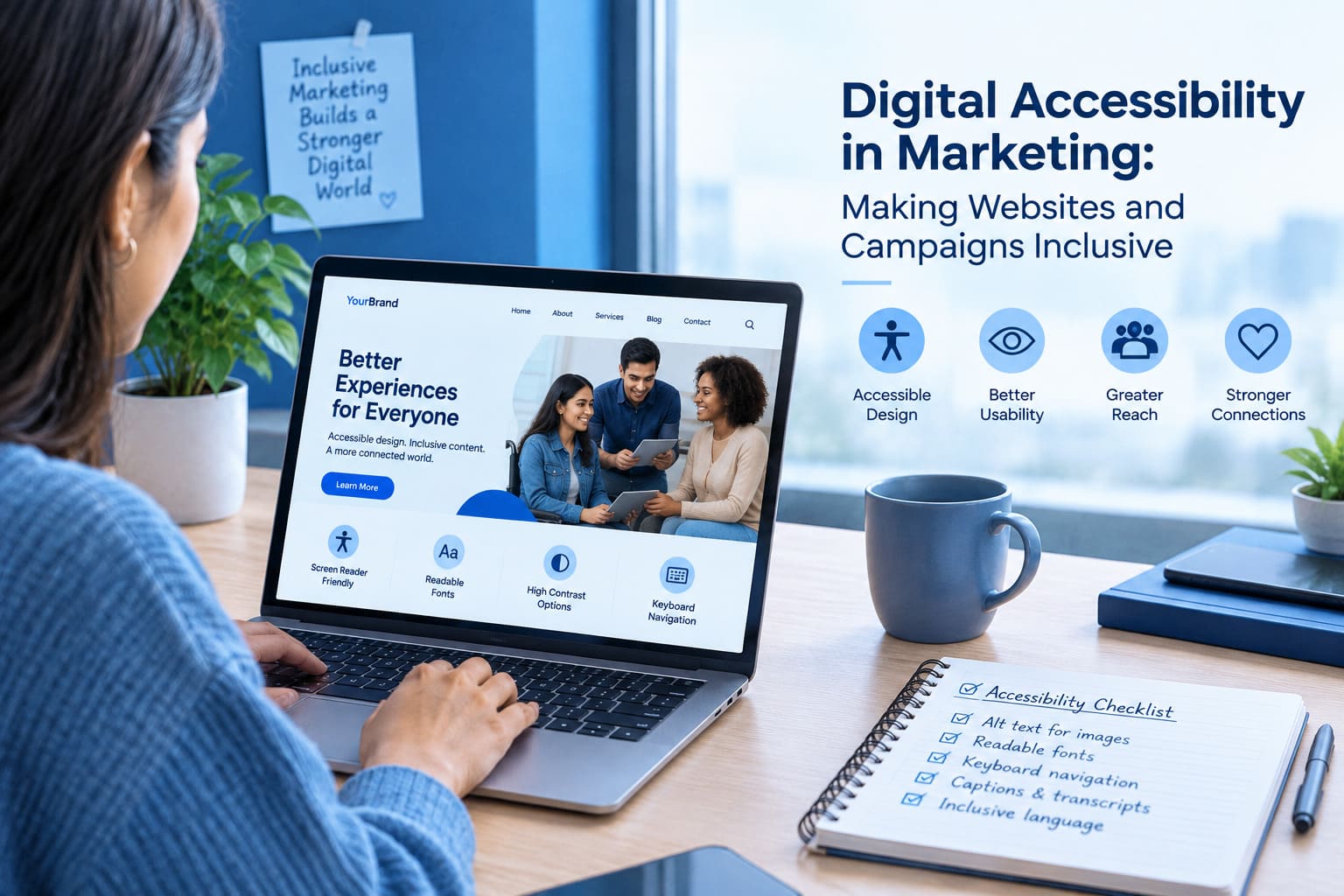
Digital marketing has changed how businesses communicate with customers, promote products, and build lasting relationships. From websites and email newsletters to social media advertisements and interactive landing pages, companies use digital channels to reach audiences at different stages of the customer journey. However, creating a successful digital experience involves more than attractive designs, engaging headlines, and persuasive calls to action. Businesses must also consider whether their content is accessible to everyone who wants to use it.
Digital accessibility in marketing focuses on removing unnecessary barriers that prevent people from accessing information, understanding messages, or completing actions online. These barriers can affect people with visual, hearing, motor, cognitive, and other disabilities. They can also affect people experiencing temporary limitations, such as using a mobile device in bright sunlight, browsing with one hand, or watching a video in a noisy environment.
Consider a potential customer visiting a product landing page. The page contains an informative video, a pricing table, and a registration form. If the video has no captions, the pricing table is difficult to read, and the form cannot be completed using a keyboard, the visitor may struggle to understand the offer or register successfully. The problem is not necessarily the product or the marketing message. The digital experience itself creates barriers.
This is why accessibility deserves a place in modern marketing strategy. Businesses that integrate accessibility into their content, design, and technology workflows can create more usable experiences for a broader audience. Rather than treating accessibility as a final technical check, marketing teams should consider it throughout the planning, creation, publication, and evaluation of digital campaigns.
What Is Digital Accessibility in Marketing?
Digital accessibility in marketing is the practice of making digital content and marketing experiences usable by people with different abilities, technologies, and interaction preferences.
It applies to almost every customer-facing digital asset, including:
- Business websites and product landing pages.
- Email campaigns and promotional newsletters.
- Social media graphics, videos, and advertisements.
- Downloadable guides, reports, and digital brochures.
- Webinar registration pages and event platforms.
- Online forms, surveys, and customer feedback tools.
- Chat widgets, pop-ups, and cookie preference interfaces.
An accessible marketing experience allows people to obtain essential information without depending on a single way of seeing, hearing, navigating, or interacting with content.
For example, meaningful alternative text can communicate the purpose of an informative image to someone using a screen reader. Captions can make spoken video content available to people who cannot hear the audio. Keyboard navigation allows visitors to interact with website elements without using a mouse. Clear instructions and descriptive error messages help users understand how to complete forms.
The Web Content Accessibility Guidelines (WCAG), developed by the World Wide Web Consortium (W3C), provide an established framework for evaluating web accessibility. WCAG is organized around four principles: content should be perceivable, operable, understandable, and robust.
Businesses can consult the official WCAG guidelines to learn more about accessibility requirements and evaluation methods.
Importantly, accessibility is not achieved simply by adding an accessibility statement or installing a browser widget. The underlying content, page structure, controls, and customer journeys must also be considered.
Why Digital Accessibility Is Becoming Important for Modern Marketing
Marketing teams often work toward goals such as increasing brand awareness, improving engagement, generating qualified leads, and encouraging repeat purchases. Accessibility supports these efforts by helping businesses communicate with customers who might otherwise encounter unnecessary barriers.
1. Reaching a Wider Range of Customers
Not every customer interacts with digital content in the same way. Some use assistive technologies, while others adjust their device settings to make text larger, reduce movement, or improve readability.
When a website relies exclusively on small text, visual instructions, or mouse-based interactions, it may exclude people who need alternative ways to access information.
Accessible content provides more flexible ways to understand and interact with marketing messages. Captions, clear navigation, readable text, and descriptive controls can make the same experience easier to use across different situations.
For businesses, this means designing digital experiences around the diversity of real customers rather than assuming everyone uses the same devices and interaction methods.
2. Creating a More Reliable Customer Journey
A marketing campaign may attract a visitor, but the visitor still needs to navigate the website and complete the intended action. A poorly labeled form, confusing error message, or inaccessible menu can interrupt that journey.
Imagine a company promoting a free industry report. A visitor clicks the advertisement and reaches a form requesting their name, email address, and company information. If the fields are not clearly identified, the submit button cannot be reached using a keyboard, or errors are communicated only through color, completing the form may become unnecessarily difficult.
Accessible forms can provide descriptive labels, clear instructions, visible focus indicators, and useful error messages. These features help users understand what is required and how to correct mistakes.
They do not guarantee higher conversion rates, but they can remove avoidable usability barriers from important marketing interactions.
3. Building a More Consistent Brand Experience
Customers may encounter a brand through an advertisement, a social media post, an email, a website, and a customer support interface within a short period.
If each touchpoint follows different accessibility practices, the experience can become inconsistent. A well-designed website may still be difficult to use if its embedded registration tool has inaccessible controls or its promotional video lacks accurate captions.
Consistent accessibility standards help marketing teams maintain a more predictable experience across channels. They also encourage designers, content creators, developers, and campaign managers to share responsibility for the quality of the final experience.
4. Improving Content Clarity and Usability
Accessibility improvements often encourage better communication practices. Descriptive headings help readers understand the structure of an article. Meaningful link text explains what happens when someone selects a link. Clear button labels make the next step easier to identify.
These practices can benefit people using assistive technology as well as customers who skim content, browse on small screens, or have limited time to understand an offer.
For example, a button labeled “Download the Marketing Automation Guide” communicates its purpose more clearly than a button labeled “Learn More” when several actions appear on the same page.
The result is content that communicates its purpose more directly and reduces uncertainty during navigation.
5. Supporting Responsible Digital Business Practices
Accessibility can also form part of a company’s wider approach to digital responsibility. Businesses that serve customers across different markets may need to consider applicable accessibility standards, procurement requirements, and legal obligations.
Requirements vary by jurisdiction, organization, and service type. Marketing teams should therefore work with appropriate legal and technical specialists to understand which rules apply to their websites and campaigns.
Following a recognized accessibility framework provides a more structured starting point than relying on informal design preferences or assuming that a website is accessible because it looks professional.
Understanding the Four Core Principles of Web Accessibility
The four WCAG principles provide a useful foundation for marketing teams planning accessible digital experiences.
Perceivable: Make Information Available in Different Ways
Information should not depend entirely on one sensory ability. A person who cannot see an image should have an alternative way to understand its relevant meaning. Someone who cannot hear a video should be able to access its spoken information through captions or another suitable alternative.
For marketing content, this may involve providing alternative text, captions, sufficient color contrast, and text alternatives for meaningful visual information.
For example, if a campaign infographic explains a product’s three main benefits, marketers should provide those benefits in readable text instead of communicating the information only through the graphic.
Operable: Make Interfaces Easy to Navigate
People should be able to operate website controls using the interaction methods available to them. Not everyone uses a mouse, and some visitors depend on keyboard navigation or assistive devices.
Menus, buttons, forms, and pop-ups should support appropriate keyboard interaction. Focus indicators should make it clear which element is currently selected, and interactive elements should not create unnecessary navigation traps.
A marketing landing page that requires a mouse to open its navigation menu can create a barrier even if the page’s visual design is excellent.
Understandable: Make Content and Actions Clear
Accessible marketing content should use understandable language, consistent navigation, and predictable interactions.
Form instructions should explain what information is needed. Error messages should describe the problem and, where possible, explain how to correct it. Important conditions associated with a promotion should be written clearly rather than hidden in confusing language.
For example, if a discount applies only to new customers, the campaign should communicate that condition in a clear and accessible format.
Robust: Support Different Browsers and Assistive Technologies
Digital content should work reliably across supported browsers, devices, and assistive technologies. Properly structured HTML, semantic headings, accessible form controls, and correctly implemented interactive components help make this possible.
Marketing teams should be especially careful when using third-party widgets, page builders, custom animations, and embedded forms. A component that appears to work visually may still expose incomplete information to assistive technology.
Robust implementation requires appropriate technical testing, not just a visual review.
How to Make Marketing Websites More Accessible
A website is often the central destination for marketing activity. Visitors arrive from search results, social posts, email campaigns, advertisements, and referral links. Accessibility should therefore be considered across the complete website rather than limited to the homepage.
Use a Clear Heading Structure
Headings organize content into meaningful sections and help visitors understand how a page is structured.
Use a logical hierarchy, with the main page heading followed by relevant section headings and subordinate headings where appropriate. Avoid choosing heading levels purely because a particular font size looks attractive.
For a long marketing article, headings such as “Benefits of Accessible Campaigns,” “Common Implementation Challenges,” and “How to Test Accessibility” help readers find relevant information quickly.
A clear structure also supports screen-reader navigation, allowing users to move between headings instead of reading every paragraph sequentially.
Improve Text and Background Contrast
Text should remain distinguishable from its background. Low contrast can make content difficult to read for people with low vision, color vision deficiencies, or temporary visual limitations.
WCAG 2.2 Level AA generally specifies a contrast ratio of at least 4.5:1 for normal text and 3:1 for large text, subject to the standard’s exceptions. Certain non-text interface elements have their own contrast requirements.
Marketing teams should evaluate actual foreground and background colors rather than relying on visual judgment alone. Particular attention should be given to buttons, form boundaries, small promotional text, and text placed over photographs.
Brand colors can still be used creatively, but accessible color combinations should be selected for readability.
Make Keyboard Navigation Reliable
A website should not require visitors to use a mouse for every interaction. Users should be able to move through links, buttons, menus, and form controls using a keyboard.
A visible focus indicator helps users understand which element is currently active. Interactive components should follow a logical order, and keyboard users should be able to leave menus, dialogs, and other components without becoming trapped.
Marketers should test the actual website rather than assume that a theme or page builder provides fully accessible navigation by default.
Provide Useful Alternative Text for Images
Alternative text communicates the relevant meaning or purpose of an image when the image itself cannot be perceived.
For example, an informative image showing a marketing team reviewing campaign performance might use alternative text such as “Marketing team reviewing campaign performance on a dashboard.”
However, alternative text should reflect the actual image and its context. It should not be stuffed with keywords simply to influence search rankings.
Decorative images that add no meaningful information can often use empty alternative text so assistive technology can skip them. Complex charts may need a longer text explanation to communicate the information they contain.
Design Accessible Forms and Calls to Action
Forms often sit at important conversion points, including newsletter subscriptions, product inquiries, event registrations, and resource downloads.
Each field should have an understandable label. Required fields should be identified clearly, and instructions should explain unusual formatting requirements. If a visitor makes an error, the message should identify the affected field and explain how to resolve the issue.
Buttons should describe their purpose. A call to action such as “Register for the Webinar” is more specific than “Submit” when users need to understand what happens next.
Teams should also check whether the form works with keyboard navigation, browser zoom, and appropriate assistive technologies.
Making Email Marketing More Inclusive
Email remains an important channel for product announcements, educational content, event invitations, and lead nurturing. However, an email campaign can become difficult to use when it depends heavily on images or complicated visual layouts.
Create a Readable Email Layout
Email content should have a logical reading order and clear separation between headings, paragraphs, and actions. Use readable typography and avoid long passages of text placed over busy backgrounds.
Responsive layouts should allow content to adapt to smaller screens without forcing users to zoom excessively or scroll horizontally to read ordinary text.
Avoid Image-Only Emails
Some campaigns use a single large image containing the headline, product description, discount, and call to action. This can create accessibility problems when images are blocked, scaled poorly, or interpreted by assistive technology.
Instead, place important campaign information in actual email text wherever possible. Use images to support the message rather than make them the only source of essential information.
Write Descriptive Links
Email links should explain their destination or purpose. When several links use identical generic wording, readers may struggle to distinguish between them.
For example, “View the Accessibility Checklist” provides more context than “Click Here.” The surrounding sentence should make the action clear without requiring readers to guess.
Test Before Sending
Email previews are useful, but they cannot identify every accessibility problem. Marketing teams should inspect the reading order, text alternatives, link descriptions, contrast, and keyboard usability where applicable.
It is also important to review how the message behaves in common email clients and on mobile devices. A carefully designed campaign should remain understandable even when its presentation differs from the original design.
Improving Accessibility in Video and Social Media Marketing
Video and social media campaigns often combine speech, music, text overlays, motion, and images. Because information can be presented through several channels at once, accessibility requires more than simply adding subtitles.
Add Accurate Captions to Video Content
Captions communicate spoken dialogue and relevant audio information. They are particularly important for people who are deaf or hard of hearing and for viewers who cannot play audio in their current environment.
Automatic captioning can speed up production, but captions should be reviewed before publication. Incorrect product names, technical vocabulary, speaker identification, or numerical details can change the meaning of a message.
For important training videos and educational campaigns, teams should also consider providing transcripts.
Describe Important Visual Information
Some videos communicate essential information through on-screen demonstrations, charts, or text that is not included in the narration.
Where necessary, marketers should provide an audio description or another equivalent explanation so that users who cannot see the relevant visuals can understand the content.
The appropriate solution depends on the video and the information being communicated.
Make Social Graphics Easier to Understand
Social media images should not be the only place where essential information appears. If a graphic announces a webinar date, registration deadline, or product offer, include those details in the post text as well.
Alternative text should explain informative images in context. Hashtags should be readable, and captions should use clear language rather than relying on decorative symbols or unexplained abbreviations.
Use Motion Carefully
Animations and rapid transitions can make promotional content more dynamic, but unnecessary movement may distract or create difficulties for some viewers.
Avoid flashing effects that could create a seizure risk, and provide suitable controls or alternatives for certain motion-based interactions. Where reduced-motion preferences are relevant, website animations should respect them when technically appropriate.
The objective is not to eliminate creativity. It is to communicate the campaign’s message without introducing avoidable barriers.
The Role of Marketing Technology in Accessibility Management
Marketing technology can help organizations manage accessibility across large websites, multiple campaigns, and distributed content teams. However, no single tool can guarantee that every digital experience is accessible.
Accessibility Scanners and Monitoring Tools
Automated tools can inspect web pages for certain common issues, such as missing accessible names, some color contrast failures, and incorrectly associated form labels.
Teams can integrate these checks into development workflows or use them during periodic website reviews. Repeated testing can help identify whether previously corrected issues have returned after a design update.
However, scanners cannot fully assess whether an alternative text description is useful, whether a message is understandable, or whether a complete task is easy to perform with assistive technology.
Use automated findings as a starting point for investigation rather than treating a clean scan as proof of full accessibility.
Content Management Systems and Page Builders
Content management systems help marketing teams publish and update content without rebuilding every page. They can also support accessibility through reusable templates, consistent page structures, and standardized components.
For example, a company can create a landing-page template with correctly structured headings, accessible buttons, and properly labeled form fields. Content creators can then reuse that template across different campaigns.
Nevertheless, an accessible template can still be made inaccessible by adding low-contrast text, incorrectly structured content, or an unusable third-party widget. Templates require testing and ongoing maintenance.
Customer Relationship Management and Marketing Platforms
CRM systems and campaign platforms often contain forms, preference controls, embedded interfaces, and automated communications. These elements should be included in accessibility reviews when they are part of the customer journey.
For example, a lead-generation campaign may use an external form provider. Even if the main website is accessible, an inaccessible embedded form can prevent a visitor from submitting an inquiry.
Marketing operations teams should identify which tools are involved in important user journeys and coordinate with vendors when technical changes are needed.
Digital Asset Management Systems
Digital asset management systems help organizations store and distribute images, videos, presentations, and other marketing materials.
When workflows support descriptive metadata, captions, transcripts, and clear asset ownership, teams can make accessible content easier to find and reuse. This reduces the risk of repeatedly publishing materials that lack important accessibility information.
Accessibility metadata should be maintained as part of normal content operations rather than treated as optional information added only for a single campaign.
Analytics and Website Quality Assurance
Analytics tools can help teams identify pages with unexpected abandonment, unusual interaction patterns, or declining engagement. These findings may indicate a need to investigate the user experience, but they do not independently establish an accessibility problem.
For example, a high exit rate on a registration page could be related to confusing instructions, technical errors, irrelevant traffic, or other factors.
Combining analytics with accessibility audits, customer support feedback, and usability testing gives teams a stronger basis for deciding what to investigate and improve.
A Step-by-Step Framework for Implementing Accessible Marketing
Accessibility initiatives become easier to manage when they have clear priorities, ownership, and review processes.
Step 1: Audit Existing Digital Assets
Start by identifying the website pages, email templates, advertisements, videos, forms, and downloadable resources used most frequently.
Prioritize important customer journeys, such as product discovery, account registration, resource downloads, and event sign-ups. Review both the main website and the third-party tools used to complete these tasks.
An audit should identify barriers, document their locations, and explain which users or interactions may be affected.
Step 2: Establish Accessibility Standards
Create a practical internal checklist based on the accessibility standard relevant to your organization.
The checklist can cover headings, image descriptions, color contrast, keyboard operation, form labels, captions, error messages, and document accessibility.
Assign responsibilities to the appropriate teams. Designers may own component design, developers may handle technical implementation, and content teams may be responsible for writing, captions, and alternative text.
Step 3: Fix High-Impact Problems First
Not every issue needs to be addressed in the same order. Give priority to barriers that prevent people from accessing essential content or completing important actions.
For example, an unusable registration form generally deserves more immediate attention than a minor issue on a rarely visited decorative page.
Record each problem, assign an owner, set a reasonable target date, and document the correction. This makes accessibility work easier to coordinate across marketing and technical teams.
Step 4: Integrate Checks Into Content Production
Accessibility should be included in the normal process for creating and approving digital content.
Before a landing page goes live, check its structure, contrast, navigation, and form behavior. Before sending an email, review text alternatives, reading order, and link descriptions. Before publishing a video, check captions and any necessary visual descriptions.
Adding these checks to existing workflows helps prevent repeated problems and reduces the need for last-minute corrections.
Step 5: Test With Different Interaction Methods
Use automated testing alongside manual evaluation. Navigate important pages using a keyboard, inspect page structure with appropriate assistive technology, and check how the content behaves when zoomed.
Where possible, include usability testing with people with disabilities. Their feedback can reveal practical difficulties that technical checks alone may not identify.
Testing should cover complete tasks, not merely individual elements. A button may work correctly on its own while the overall registration process remains confusing.
Step 6: Monitor and Maintain Improvements
Accessibility is an ongoing responsibility because websites, campaigns, and third-party tools change over time.
New plugins, redesigns, embedded forms, and content updates can introduce problems that were not present during the original audit.
Review key pages periodically, retest important user journeys after significant changes, and maintain a record of outstanding issues. Include accessibility performance in regular website quality assurance and marketing operations reviews.
Common Digital Accessibility Mistakes to Avoid
Treating Accessibility as a One-Time Project
A website that passed a review several months ago may no longer be accessible after new features or templates are introduced.
Better approach: Schedule periodic reviews and include accessibility checks in significant releases and content updates.
Depending Entirely on Automated Widgets
Overlay tools and accessibility widgets may offer certain helpful functions, but they cannot reliably correct every problem in page structure, content, interaction, or third-party software.
Better approach: Evaluate the actual experience and fix underlying barriers using appropriate design and development practices.
Using Alternative Text as a Keyword Placement Opportunity
Adding repeated marketing keywords to image descriptions does not make an image more accessible.
Better approach: Describe the image’s meaningful content or purpose in context, using concise, natural language.
Assuming Captions Solve Every Video Accessibility Issue
Captions communicate speech and relevant audio, but they do not necessarily explain charts, demonstrations, or other important visual information.
Better approach: Assess the video as a whole and provide additional descriptions or transcripts when appropriate.
Ignoring Third-Party Tools
Marketing websites frequently rely on embedded scheduling tools, chat widgets, survey forms, and event platforms. These elements may introduce barriers even when the surrounding website is well designed.
Better approach: Include third-party interactions in end-to-end testing and work with vendors to resolve issues.
Focusing on Visual Appearance Instead of Usability
A website can look polished and still be difficult to operate with a keyboard or screen reader.
Better approach: Evaluate the actual user experience, including navigation, forms, reading order, and task completion.
Measuring Progress in Digital Accessibility
Marketing teams need a practical way to understand whether their accessibility work is progressing. Measurement should focus on identifying and resolving barriers rather than claiming accessibility success based on a single score.
Useful indicators include:
Issues identified and resolved: Track how many accessibility issues are discovered, corrected, and verified through retesting.
Repeat issues: Monitor whether the same problems reappear after updates. Repeated failures may indicate a need for better templates, training, or technical controls.
Coverage of important user journeys: Record which key workflows have been tested, such as registrations, purchases, and content downloads.
Content review coverage: Measure whether new landing pages, emails, videos, and downloadable resources receive the required accessibility checks before publication.
User feedback: Collect feedback about difficulties with navigation, content comprehension, forms, and interactive controls. Protect users’ privacy and provide accessible ways to submit feedback.
Time to resolve issues: Monitor how long important problems remain unresolved and whether responsibility for fixing them is clearly assigned.
These indicators provide useful operational information. They should be interpreted alongside manual testing and relevant conformance criteria rather than used as substitutes for an accessibility assessment.
The Future of Digital Accessibility in Marketing
Marketing technology continues to introduce new ways of creating and delivering content. Artificial intelligence can assist with tasks such as generating draft image descriptions, producing captions, and identifying potential accessibility issues. However, automated output requires review because descriptions can be inaccurate, captions can misinterpret speech, and technical scanners cannot fully understand every interaction.
Personalization also introduces accessibility considerations. A dynamically generated offer or recommendation must remain understandable and usable when content changes. Interface updates should not unexpectedly disrupt keyboard focus, hide important information, or create confusing navigation.
As marketing teams adopt more interactive websites, conversational interfaces, and automated campaign workflows, accessibility should be included in design specifications, vendor evaluations, content governance, and quality assurance.
Businesses that build accessibility into these processes are better positioned to maintain consistent experiences as their technology and marketing channels evolve. The objective is not to rely on a particular tool or chase a single score. It is to make accessibility a normal part of creating, maintaining, and evaluating digital experiences.
Conclusion
Digital accessibility in marketing is an essential consideration for businesses that want to communicate clearly and serve customers with different abilities and interaction needs. It influences every part of the digital experience, from the first advertisement a person sees to the form they complete or the video they watch.
Accessible websites, emails, advertisements, and marketing materials can reduce avoidable barriers, make information easier to understand, and create more consistent customer journeys. Achieving these improvements requires more than a visual redesign or an automated scan. It involves appropriate technical implementation, thoughtful content creation, manual testing, and continuous improvement.
Marketing technology can help organizations standardize accessibility practices across content management systems, campaign platforms, and digital asset workflows. Still, teams must evaluate the actual experience and address problems that automated tools cannot detect.
The most effective approach is to make accessibility part of everyday marketing operations. By setting clear standards, reviewing high-priority customer journeys, involving people with different access needs, and maintaining improvements over time, businesses can create digital experiences that are more inclusive, understandable, and usable.
Accessibility is not simply a final checkpoint before a campaign launches. It is an ongoing commitment to ensuring that more people can access the information and opportunities a business provides.
Frequently Asked Questions
1. What Is Digital Accessibility in Marketing?
Digital accessibility in marketing means designing websites, emails, advertisements, videos, and other digital content so people with different abilities can access and use them. It includes readable text, keyboard navigation, image descriptions, captions, and accessible forms that help create a more inclusive digital experience.
2. How Can Businesses Improve Digital Marketing Accessibility?
Businesses can improve accessibility by using clear headings, sufficient color contrast, descriptive links, meaningful image descriptions, accurate video captions, and properly labeled forms. They should also test keyboard navigation and combine automated accessibility tools with manual testing to identify potential barriers.
3. What Is the Role of WCAG in Digital Accessibility?
The Web Content Accessibility Guidelines (WCAG), developed by the World Wide Web Consortium (W3C), provide criteria for making digital content more accessible. Their four core principles are perceivable, operable, understandable, and robust. Businesses can use these guidelines to evaluate websites and improve digital marketing experiences.
4. Can Digital Accessibility Improve the Customer Experience?
Yes. Accessible digital experiences can make information easier to understand, navigation more predictable, and forms easier to complete. Features such as captions, readable text, clear instructions, and keyboard-friendly controls help reduce unnecessary barriers for a wider range of customers. However, accessibility alone does not guarantee higher engagement or conversion rates.