









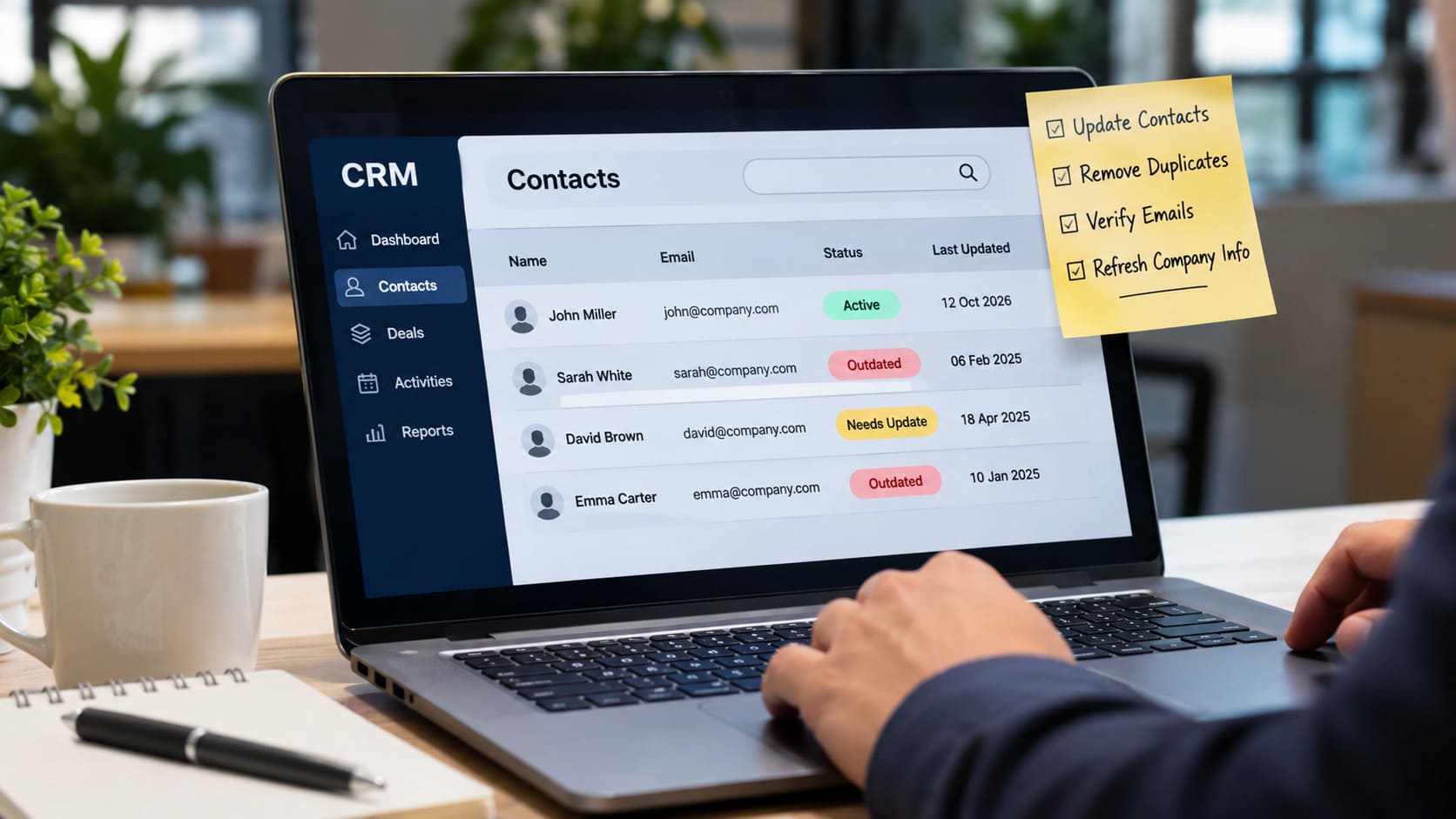
A customer record may look perfectly fine in your CRM today. It has a name, company, email address, phone number, and job title. Everything appears complete.
But what if that person changed jobs six months ago? What if the company was acquired, the department moved to a different location, or the email address no longer works?
Your CRM may still contain all the information. The problem is that the information no longer describes reality.
This is one of the most overlooked challenges in customer relationship management. Businesses spend time collecting customer information, organizing contacts, and building databases, but they often forget that customer information does not remain accurate forever.
As companies rely more heavily on CRM platforms, marketing automation, customer segmentation, and AI-powered tools, keeping records current has become an ongoing responsibility rather than a one-time task.
Understanding why CRM records become outdated can help businesses protect their marketing efforts, improve customer communication, and make better decisions.
What Does It Mean When CRM Records Become Outdated?
CRM data becomes outdated when the information stored in a customer or prospect record no longer reflects the person’s or company’s current situation.
This process is often called CRM data decay.
It does not necessarily mean that the information was incorrect when it was collected. In many cases, the record was accurate at the time of entry. It simply became less reliable as circumstances changed.
For example, a marketing team may collect information about a marketing manager at a technology company. A few months later, that person may move to another organization, receive a promotion, or change responsibilities.
The CRM still shows the previous company and job title. If nobody updates the record, the business continues using information that was once correct but is no longer useful.
Outdated CRM data can affect:
- Contact names and job titles
- Business email addresses and phone numbers
- Company locations and websites
- Department and reporting structures
- Customer preferences and communication history
- Account ownership and relationship status
The important point is that CRM data can become outdated even when nobody makes a mistake.
Why CRM Records Become Outdated Faster Than Businesses Expect
1. People Change Jobs and Responsibilities
One of the most common reasons CRM records become outdated is employee movement.
People change employers, move between departments, accept new positions, or take on different responsibilities. These changes can happen without any notification reaching the business that stores their information.
Imagine a sales representative who has been communicating with an IT manager for several months. The contact eventually moves to another company, but the CRM still lists the old employer.
The sales representative may continue sending messages to the previous business address or discussing solutions that are no longer relevant to the contact’s role.
A single job change can make several connected fields inaccurate at once.
This is why businesses should not treat contact information as something that remains fixed after the first successful interaction.
2. Company Information Changes Over Time
Businesses also change.
A company may open new offices, relocate, change its website, acquire another organization, or restructure its operations.
These changes can affect the accuracy of company records in a CRM.
For example, a business may have originally been listed as a small technology provider with a particular website and office location. After an acquisition, its brand name, business structure, and contact details may change.
If the CRM continues using the previous information, marketing and sales teams may struggle to identify the correct organization or understand its current business needs.
Company data needs attention just as much as individual contact data.
3. Customer Information Is Collected From Different Sources
CRM records often come from multiple sources, including website forms, sales conversations, marketing campaigns, events, spreadsheets, and external data providers.
Each source may collect information in a different format or at a different point in time.
One form may record a company as “ABC Technologies,” while another may use “ABC Tech Pvt. Ltd.” A sales representative may enter a contact manually, while a marketing tool imports another version of the same person.
Without consistent validation and updating processes, these records can become incomplete, duplicated, or inconsistent.
The problem becomes more noticeable when businesses connect several marketing and sales tools to the same CRM.
4. Businesses Focus on Collecting Data Instead of Maintaining It
Many organizations invest heavily in building their customer databases.
They collect contact information, create segments, import prospect lists, and connect new marketing tools. However, the same attention is not always given to maintaining the information already stored.
A database can grow quickly while its usefulness gradually declines.
Adding more contacts does not automatically improve the quality of a CRM. If existing records are not reviewed, a larger database may simply contain more information that needs to be verified.
A useful CRM strategy should focus on both collecting information and keeping that information reliable.
5. Marketing and Sales Teams Do Not Always Share Updates
Sales representatives often discover changes during conversations with customers and prospects.
A contact may mention a new job, a different reporting manager, or a change in purchasing responsibility. These details are valuable, but they may remain in emails, meeting notes, or personal spreadsheets instead of being added to the CRM.
Marketing teams may then continue using the previous information for segmentation and campaign targeting.
When customer updates are not shared across teams, the CRM gradually becomes disconnected from the actual customer relationship.
A simple process for recording important changes can prevent many of these problems.
6. CRM Integrations Can Spread Outdated Information
Connecting CRM platforms with marketing automation, sales engagement, customer support, and analytics tools can make business operations more efficient.
However, integrations also create another challenge.
If one system contains outdated information and synchronizes it with another system, the incorrect data may spread across multiple platforms.
For example, an old job title stored in a CRM could be transferred to a marketing automation platform. The marketing team may then use that information to create a campaign targeting a particular professional role.
The campaign may reach people who no longer match the intended audience.
Businesses should review not only the quality of their CRM records but also how information moves between connected systems.
How Outdated CRM Records Affect Marketing Performance
Outdated information may seem like a small administrative issue, but it can influence several important marketing activities.
Poor Audience Targeting
Marketing campaigns depend on understanding who the intended audience is.
When job titles, company details, or business responsibilities are inaccurate, campaigns may reach people who no longer fit the target audience.
This can reduce the relevance of campaign messages and make audience segmentation less effective.
Inefficient Lead Qualification
Lead qualification often depends on information such as company size, industry, job role, and business requirements.
If these details are outdated, marketing and sales teams may evaluate prospects using the wrong criteria.
A contact who once matched the ideal customer profile may no longer fit it. Another contact may have become more relevant after changing roles.
Regularly reviewing important CRM fields helps businesses make more informed qualification decisions.
Unnecessary Sales Follow-Ups
Sales representatives may spend time contacting people who have left a company, changed responsibilities, or are no longer involved in purchasing decisions.
This creates additional research work and can interrupt the sales team’s focus on active opportunities.
Keeping contact records current helps representatives understand whom they should contact and why.
Unreliable Marketing Reports
CRM data also influences reporting.
If customer records contain outdated company information or incorrect lifecycle stages, marketing reports may not accurately represent campaign performance.
For example, a report may show engagement from a particular industry even though some contacts have moved into different industries or organizations.
Reliable reporting depends on having reliable information behind the numbers.
How Businesses Can Keep CRM Records More Accurate
Keeping CRM records current does not require businesses to manually review every contact every day.
A practical approach is to create a consistent process that identifies important changes and prioritizes records that matter most.
1. Review Important Records Regularly
Start by identifying the CRM records that support current business activities.
These may include active customers, open sales opportunities, recently engaged leads, and contacts involved in important campaigns.
Reviewing these records regularly helps teams identify outdated information before it affects important communication.
Businesses can also use record age as a signal for when information needs to be checked again.
2. Verify Information Before Important Campaigns
Before launching a campaign, review the accuracy of the audience data.
Check whether contact details are valid, company information is current, and the selected audience still matches the campaign’s purpose.
This is particularly important for campaigns that depend on specific job roles, industries, or company characteristics.
A short verification process can help reduce avoidable targeting errors.
3. Use CRM Validation Rules
CRM validation rules can help prevent incomplete or inconsistent information from entering the database.
Businesses can standardize fields such as country, industry, company size, and lifecycle stage.
They can also create rules to identify missing information or flag records that require attention.
The goal is not to collect every possible detail. It is to maintain the information that supports meaningful business decisions.
4. Create a Simple Process for Updating Records
Sales and marketing teams should know how to record important customer changes.
If a contact changes jobs, a company changes its website, or a customer provides updated information, the relevant CRM record should be reviewed.
A clear process helps prevent valuable information from remaining hidden in personal notes or conversations.
5. Identify and Manage Duplicate Records
Duplicate contacts can create confusion when different records contain different versions of the same person’s information.
Businesses should regularly identify potential duplicates and review them before merging.
It is important to preserve useful interaction history and avoid combining records that belong to different people.
A well-maintained CRM should make it easy for teams to understand the complete relationship with a customer.
6. Use Data Enrichment Carefully
Data enrichment can help businesses update missing or outdated information using reliable sources.
However, enrichment should not be treated as a guarantee that every field is correct.
Information should be checked for relevance, source quality, and freshness. Businesses should also avoid overwriting verified customer information with unconfirmed data.
The best approach is to use enrichment as part of a broader data-quality process.
Why CRM Data Quality Matters More in the Age of AI
Modern marketing platforms increasingly use AI to support lead scoring, customer segmentation, campaign personalization, forecasting, and automated decision-making.
These tools depend on the information available in the CRM.
If the underlying data is inaccurate, AI-powered systems may produce recommendations that appear reasonable but are based on outdated information.
For example, an AI system may identify a contact as a high-priority prospect because the CRM shows that the person holds a senior position at a target company.
If the contact has already moved to another organization, the recommendation may no longer make sense.
AI can help businesses identify patterns and process information more efficiently, but it cannot automatically make every outdated CRM record accurate.
Businesses need reliable data, clear ownership, and regular verification to support effective AI-driven marketing.
A Practical CRM Data Maintenance Checklist
Businesses can use the following checklist to make CRM data maintenance part of their regular operations.
- Review important contact and company records.
- Verify email addresses and phone numbers before major campaigns.
- Check whether contacts still work at the recorded companies.
- Update job titles and business responsibilities when changes are confirmed.
- Identify duplicate contacts and company records.
- Standardize important CRM fields.
- Review data synchronization between connected marketing tools.
- Flag records that have not been verified for a long time.
- Assign responsibility for maintaining CRM data.
- Track recurring data-quality issues and improve the collection process.
Businesses should prioritize records based on their importance, recent activity, and the risk of using inaccurate information.
Final Thoughts
CRM records do not become outdated because businesses stop caring about their customers. They become outdated because customers, employees, and organizations continue to change.
A contact who was relevant last year may have a different role today. A company that once operated from one location may now have a completely different structure. Information that was accurate when collected may no longer support the decisions businesses need to make.
The solution is not simply to build a larger database. It is to build a more reliable one.
By reviewing important records, verifying customer information, managing duplicates, and creating clear data-maintenance processes, businesses can make their CRM more useful for marketing, sales, and customer relationship management.
A CRM should not just remember what a business knew about its customers in the past. It should help the business understand what is still true today.
Frequently Asked Questions
1. How often should businesses update CRM records?
Businesses should review important CRM records regularly, ideally every few months. High-priority leads and active customer accounts may need more frequent updates to keep information accurate.
2. What are common signs of outdated CRM data?
Common signs include bounced emails, disconnected phone numbers, incorrect job titles, duplicate contacts, and records showing companies or employees who are no longer in the same roles.
3. How does outdated CRM data affect marketing campaigns?
Outdated CRM data can lead to poor audience targeting, failed email delivery, irrelevant messages, and lower campaign engagement. It can also affect lead qualification and sales follow-ups.
4. Can CRM automation help prevent outdated customer records?
Yes. CRM automation can identify missing information, flag duplicate records, schedule data reviews, and update selected fields when reliable information is available.